Prepare a bid and execute the contract
The Marchés (Contracts) module supports bid preparation and the tracking of awarded contracts: documents, milestones, budget, teams and invoices. The bid and contract remain separate records, linked after award.
11.1 Start and resume preparation
From a public notice, Préparer mon offre avec Tauraco leads to Préparer mon offre after sign-in. You can then find the record in Marchés → Candidatures et contrats → Candidatures (/marches/candidatures). Fiche de la candidature brings together documents and tracking; Assistant de préparation opens the guided workflow.
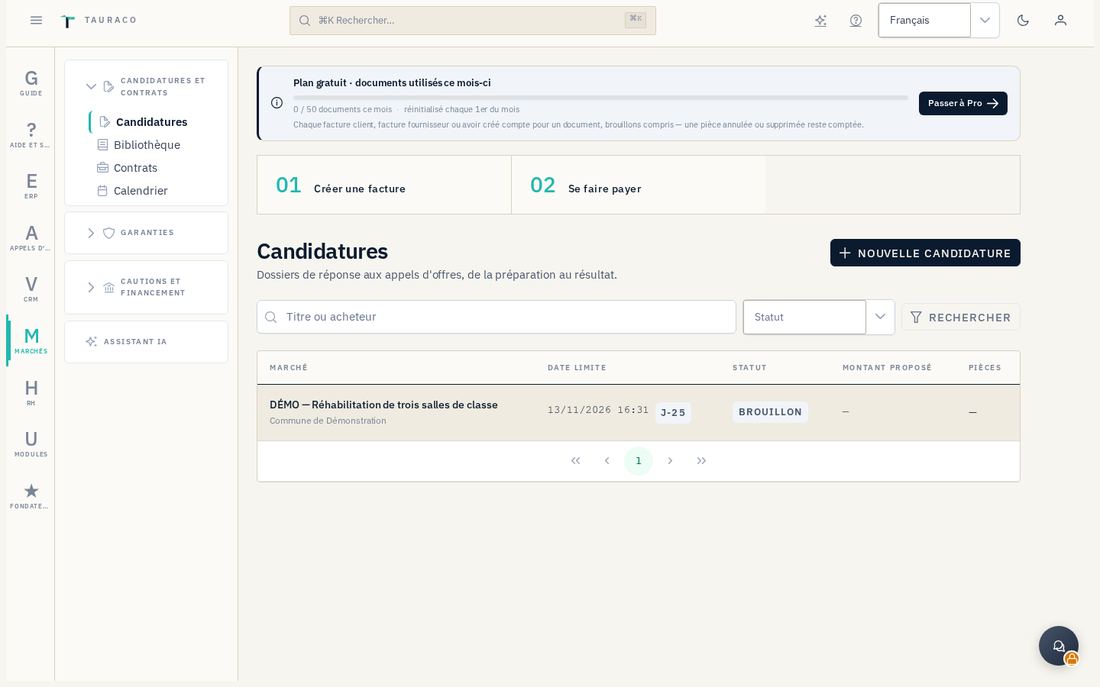
11.2 Work through the seven steps
- L'avis (Notice). Check the official announcement and deadline. Résumer avec l'assistant, when available, proposes a summary to review with its sources and uncertainties. Distinguish explicitly required documents from suggestions.
- Go / no go. Answer the criteria, then choose Décider : on soumissionne (go) or Décider : on ne soumissionne pas (no go). Enregistrer les réponses sans décider saves an assessment that remains open.
- Dossier administratif (Administrative documents). Use Reprendre les informations de ma fiche société, then review details and identifiers. These do not replace certificates. Complete the checklist with Joindre le fichier or Remplacer le fichier, respecting categories and the displayed 20 MB limit.
- Offre technique (Technical bid). Gather the required documents and references. If using Vérifier la capacité, review skills, certifications and availability from HR records; the calculation does not certify the supporting documents.
- Offre financière (Financial bid). In Bordereau des prix, choose Ajouter une ligne, enter quantity, unit, unit price excluding tax and tax, then Enregistrer le bordereau. Check rounding and the tax-inclusive total carried into the proposed amount. Exporter en CSV supports external review.
- Cautions (Bonds). Declare the required bond and amount. Chapter 12 explains how to request a bid bond; this can begin before award, without a won contract or invoice.
- Soumission (Submission). Read Ce qui bloque cette étape, check all official tender requirements and submit to the buyer through the prescribed channel. Then record the tracking information in Tauraco.
11.3 Award and contract
In Résultat, an authorized manager selects Marché remporté or Marché non obtenu and Enregistrer le résultat based on the actual decision. For a won bid, Créer le contrat en brouillon opens contract preparation. A won status alone does not prove award: retain the notification and supporting documents.
In Contrats (/marches/contrats), complete the buyer, reference, amount, currency, dates and ERP customer. Enter Signé le only after actual signature and attach evidence in Documents. A contract can also be created directly with Nouveau contrat. Changer le statut tracks execution status; this entry does not perform a signature.
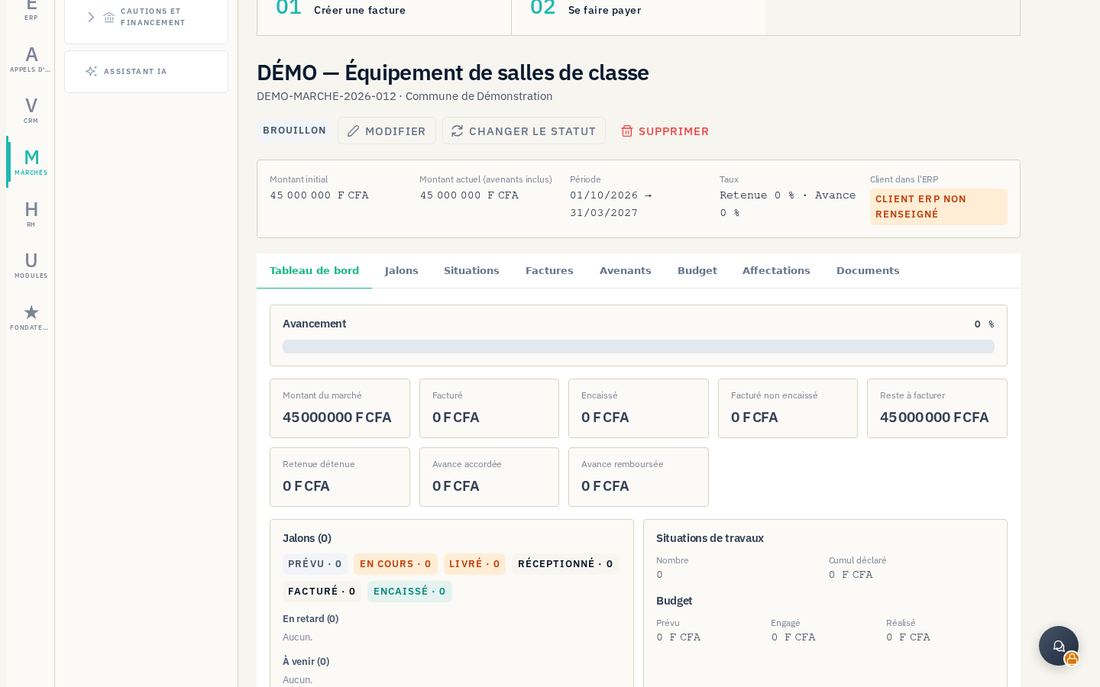
11.4 Milestones, work statements, teams and invoices
Contract tabs include Jalons (Milestones), Situations (Work statements), Avenants (Amendments), Budget, Affectations (Assignments), Documents and Factures (Invoices). Add milestones and deadlines; record contract changes as amendments. In the budget, distinguish planned, committed and actual amounts. Affecter un employé links an HR record, period and allocation percentage.
- For a work statement, the contract must be in progress. Click Nouvelle situation, enter the period and cumulative work performed excluding tax, then check the period amount, retention, recovered advance and calculated net amount.
- After review, Valider the statement. A milestone must be delivered or accepted and have an amount before it can be invoiced.
- Check the ERP customer linked to the contract. Click Facturer, enter an explicit Échéance de paiement (Payment due date), and check the description, amount and currency.
- From Factures → Ouvrir dans l'ERP, review the ERP document created and complete the necessary accounting and tax validations. The invoicing indication in Marchés does not establish final issuance: the ERP document may still be a draft.
Bibliothèque (/marches/bibliotheque) centralizes reusable documents; check their validity for every bid. Calendrier (/marches/calendrier) brings together tracking deadlines without replacing the buyer's official schedule.