Platform administration
Ops & Admin, Legal review, Compliance, Pipeline, E-invoicing modules — the surface for those who operate the platform. Off-screen actions (backup, incident, deployment, demo seeding) live in docs/runbooks/ and remain documented operator actions, never automatic ones.
6.1 The backoffice cockpit
Ops → Backoffice is the operator's landing page: what is happening, and what do I need to handle? Counters by domain, including a "Stocks & tierce détention" (Inventory & third-party custody) section (lots, guarantees, open releases, borrowing-base deficiencies).
The demo view (view-as)
From the cockpit, a SUPER_ADMIN can enter a demo view on a demo tenant.
- In the demo-view panel, enter the demo tenant's identifier.
- Click « Entrer en vue démo » (Enter demo view).
- A permanent banner shows on every subsequent page — including an access-denied page — naming the tenant and the operator, until the explicit « Quitter la vue démo » (Exit demo view) action.
6.2 Accounts, partner banks, and subscriptions
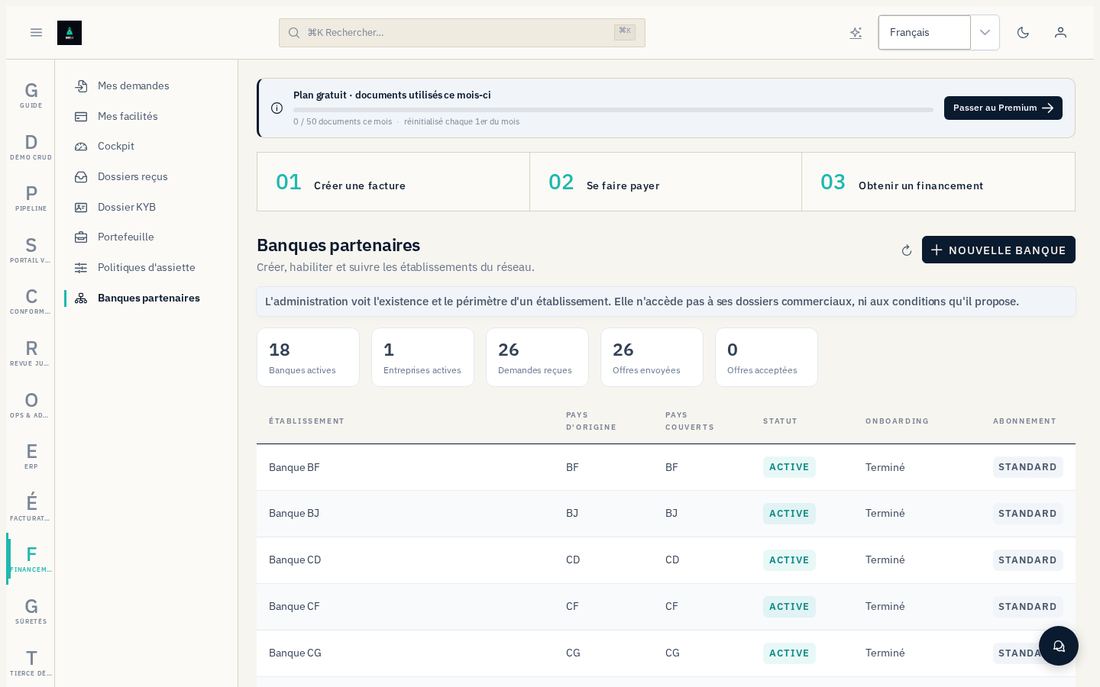
Creating a partner bank
Administration → Banques partenaires → Nouvelle banque.- Enter the technical identifier (stable — it becomes the tenant identifier), the company name, the home country, and, optionally, a declarative authorization reference.
- The institution is born with status "en attente" (pending) — this is intentional: activating it outright would make it visible to companies while no one could respond yet.
- On the record, « Périmètre par pays → Ajouter un pays » (Country scope → Add a country): declare a country, its products, and its currencies. Opening one country does not open the others, even for a regional institution.
- « Utilisateurs → Inviter un utilisateur » (Users → Invite a user), DÉCIDEUR (DECISION-MAKER) role for the person who will commit the institution. The invitation link shows only once — copy it immediately.
- Once the invitee has registered and the KYB file is approved (§6.3), click « Activer » (Activate) on the record. Activation is refused as long as a checklist step is missing, and the message names which one.
Suspending a partner bank
- On the institution's record, click « Suspendre » (Suspend).
- Confirm — it stops receiving new requests; its files in progress, its offers, and its past access remain in the database and audited. Nothing is deleted.
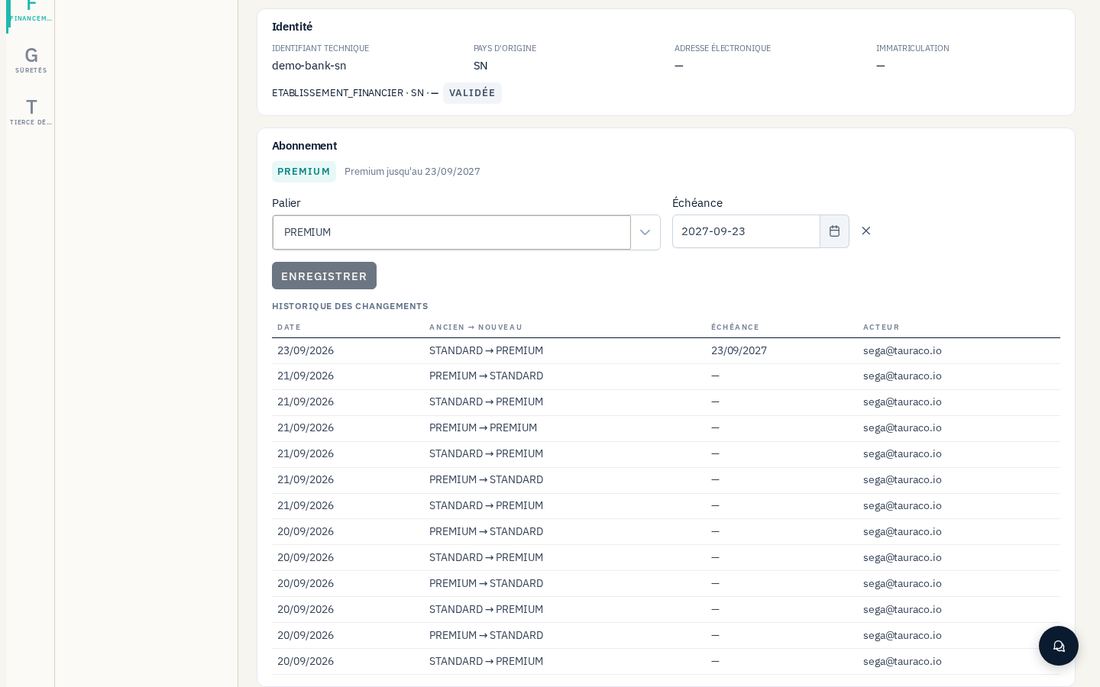
Managing an institution's subscription
- On the bank's record, scroll down to the subscription section.
- Choose the tier (Standard or Premium) and, if needed, an expiration date.
- Save — the change is added to the audited history (who, when, previous and new tier), viewable on the same record.
6.3 The institution KYB queue
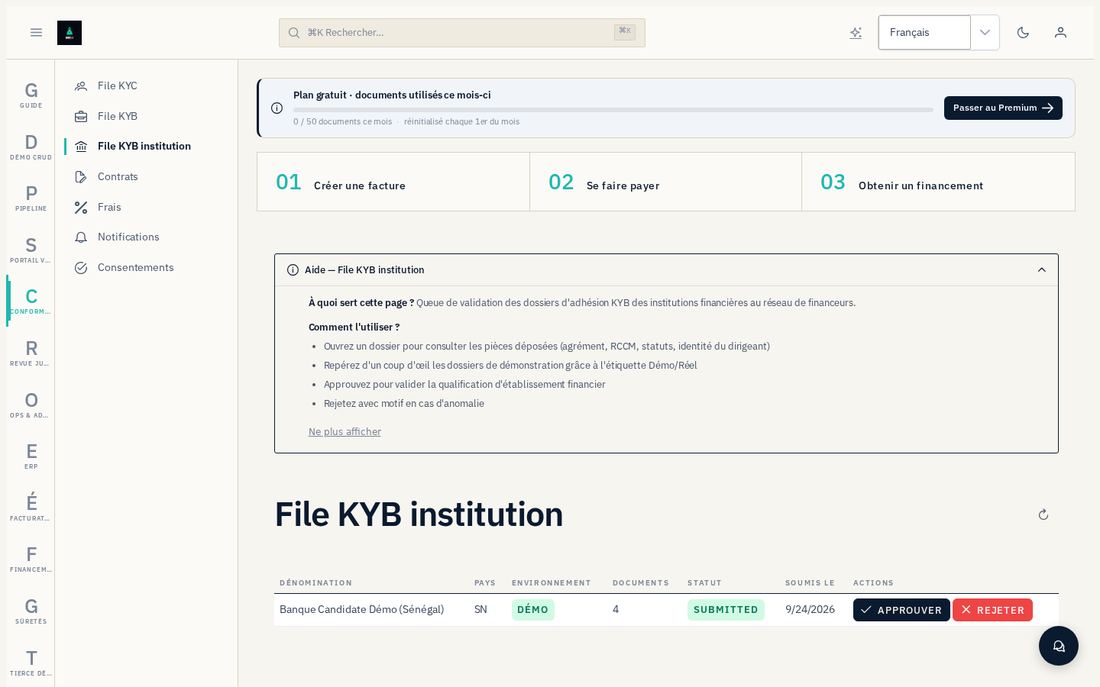
Conformité → File KYB institution lists the files submitted by institutions awaiting qualification, across the entire platform — not just the operator's own tenant, since each bank has its own tenant, distinct from the compliance tenant that reviews it.
- Open a file with status "Soumis" (Submitted).
- Check the four documents: regulator's authorization, articles of association, RCCM registration, director's identity document.
- « Approuver » (Approve) (with notes) or « Refuser » (Reject) (with a reason) — confirm.
6.4 OHADA reference data and legal review
Administration → Pays OHADA holds the internal cockpit for the 17 States (execution channels, tariff reliability) — it is not published. Administration → Mandats & délégations and Estimation de coût (Cost estimate) for formalities round out this reference data.
Administration → Revue juridique holds the legal-rule state machine: proposed → validated by counsel → activated. Each rule carries the text, Tauraco's reading, and what remains to be decided; the authorization to review a rule is checked in the database, never inferred from a role.
6.5 Document pipeline
Pipeline tracks the path of a submitted document: antivirus, OCR, extraction, scoring, publication.
- Submission — submit a document manually for testing or backfilling.
- Invoices — the real-time status of every document in the pipeline.
- Review queue — the anomalies detected, to be validated by a Risk role.
- Approvals — pending validations.
6.6 E-invoicing
Facturation électronique (E-invoicing) module — administration of the French reform: dashboard, accredited platforms, recipient directory, invoice test (EN 16931 payload), submission tracking.
6.7 Monitoring
System health (API, database, Redis, workers, antivirus, SFTP), metrics, the audit log (immutable), the notifications log, webhooks, mailboxes, chat support, and monitoring of the scoring models (jobs, drift, model registry, datasets).
Viewing the audit log
Ops → Journal d'audit.- Filter by user, action, or period.
- Open a row for its full detail — the log is immutable: nothing in it is ever rewritten or deleted.
6.8 AI requêteur and AI-assisted analysis
The AI Assistant and the AI-assisted analysis panels (bank cockpit, file, ERP dashboard) rely on an external AI service. If this service is temporarily unavailable or out of credit, each panel applies its own fallback rather than staying empty:
- the analysis panels (cockpit, dashboard) show generic content with a "degraded mode" banner;
- certain one-off actions, such as generating a detailed brief on a file, remain unavailable until the service has responded, with an explicit message rather than a made-up result.
6.9 Compliance (portal legacy)
KYC/KYB queues (sellers, investors), contract templates, fees, consents — the surface of the former marketplace model, kept for reading and for existing files. The "Place de marché (historique)" (Marketplace (legacy)) module carries this name precisely because no new financing passes through it anymore.
6.10 The in-app guide
Route /guide, "Guide" menu, accessible from any authenticated role. It reproduces, filtered by the modules you have access to, the content of this manual — it is the one-click version of the screen it explains.