Tenders, favorites and alerts
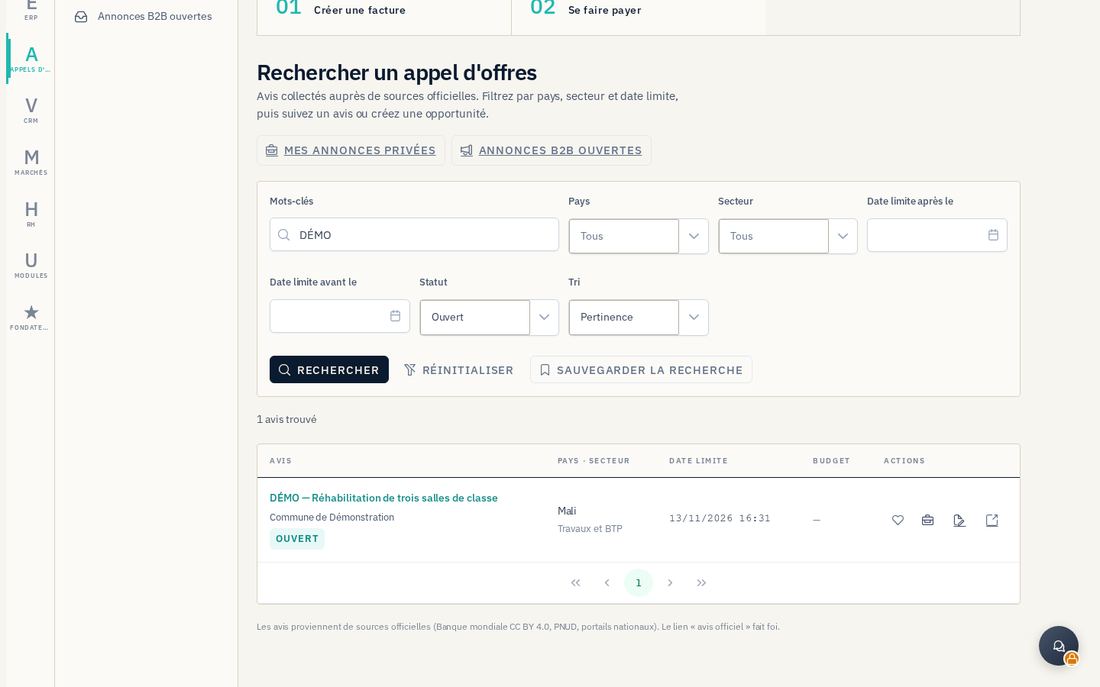
The Appels d'offres (Tenders) module lets you search notices, save those that interest you and receive alerts. From a notice, you can track the opportunity in CRM or prepare a bid in Marchés.
9.1 Find and assess a notice
- Browse the public tenders pages at
https://tauraco.io/marchesorAppels d'offresin the application (/appels-d-offres). Enter keywords and the available country, sector or deadline filters. - Open the notice and review the buyer, reference, closing date, listed documents and source. Follow the link to the official notice to check the tender documents, amendments and submission arrangements.
- In the signed-in workspace, click the heart to keep the notice in Favoris (Favorites). Use Créer une opportunité to track it in CRM, or Préparer mon offre avec Tauraco from its public page to prepare a bid.
9.2 Receive new notices
In Recherches sauvegardées (Saved searches, /appels-d-offres/recherches), create a Nouvelle recherche, name your criteria and enable M'avertir par e-mail des nouveaux avis to receive matches. You can later edit the criteria or disable that notification.
Without an account, the public form at https://tauraco.io/marches/alertes asks for an email address, countries, sectors, keywords and a daily or weekly frequency. Accept the displayed terms, submit the form and confirm your address through the email link. Use the unsubscribe link in messages to stop these alerts. An unconfirmed subscription does not activate delivery.
9.3 Publish or answer a private B2B notice
When this function is open to your company, Mes annonces privées (/appels-d-offres/prives) lets you create a Nouvelle annonce. Enter the subject, description, country, sector and deadline. Choose visibility for member companies or by invitation, then Enregistrer le brouillon. Publier submits the notice for moderation; it does not make it visible immediately.
To respond, open Annonces B2B ouvertes (/appels-d-offres/prives/ouverts), select an accessible notice, then Répondre and Envoyer la réponse. Check the message, proposed amount and currency before sending: one response per company is supported. The publisher views responses on the notice and can Clôturer it. This B2B response does not replace the submission required by a public buyer.