Institution subscriptions
Why
Certain high-value features — a file's named analysis, competitive position, market ranges — carry a real calculation cost and, for the analysis, a cost of calling a language model. The subscription tier is the mechanism that funds these features and the platform's business model on the institution side.
How, in the application
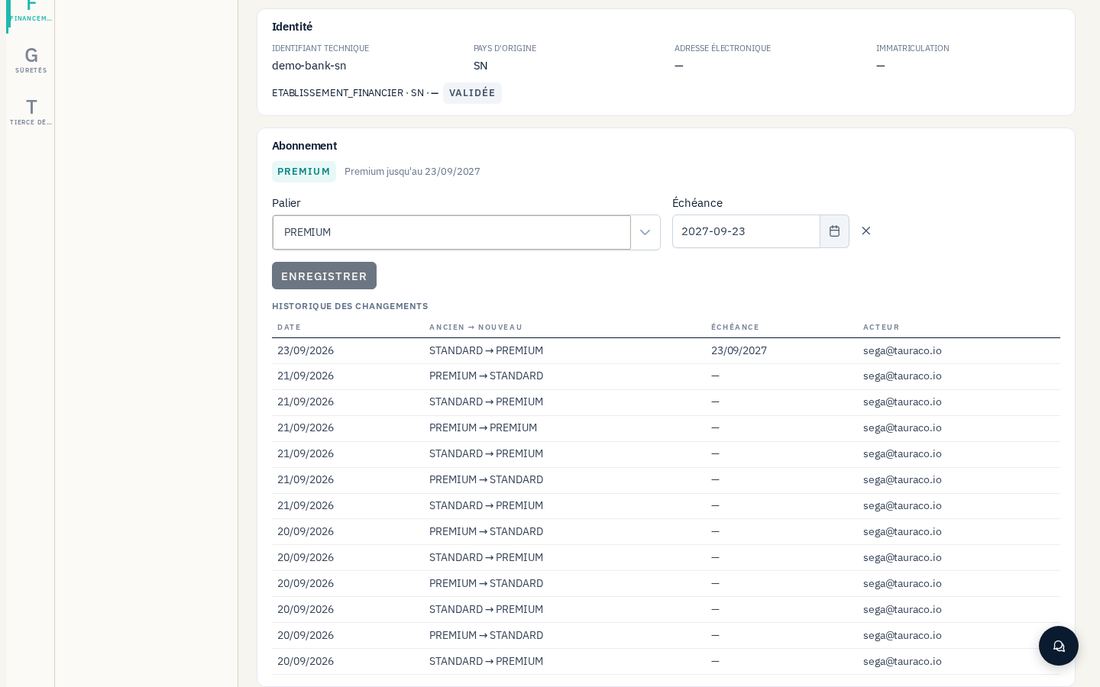
Every enrolled institution carries a subscription tier, STANDARD by default, or PREMIUM with an optional expiration date. The PREMIUM tier unlocks three specific things, all protected by the same check: reading the content of a file's named analysis (a non-Premium institution learns that the analysis exists, without accessing it), generating the AI-drafted summary of that same analysis, and viewing competitive position as well as market ranges on a segment.
Changing tier is an explicit administration action, never a side effect of another operation — it touches only the two columns for the tier and its expiration date.
Safeguards
- Premium access control is always applied after the file's existence check — an institution that is not a recipient of a request gets a "file not found" refusal, never a "paid access required" refusal, which would betray the file's existence to someone with no right to it.
- Every subscription-tier change is audited with the previous and new tier, and any expiration date — the full history of changes remains viewable.
- An institution unknown to the network is treated by default as non-Premium, never the reverse: the absence of a right is the safe fallback.